
SocialBee vs Minopa: Content Recycling or Canva-Native?
The short version of SocialBee vs Minopa. SocialBee wins for creators whose weekly engine is content recycling and category-based queues. Minopa wins for creators whose weekly engine is fresh content imported from Canva.
At a glance: SocialBee vs Minopa
| SocialBee | Minopa | |
|---|---|---|
| Free trial / tier | 14-day free trial, no permanent free tier | Yes (Free plan: 1 account, 15 posts/month) |
| Paid entry plan | Bootstrap | Creator |
| Pricing structure | Per workspace + per category-based queue | Flat per-plan, workspaces included |
| Integrations | IG, FB, X, LinkedIn, TikTok, Pinterest, YouTube, Google Business | 9 native: IG, FB, X, LinkedIn, TikTok, Threads, Pinterest, plus Canva + Google Drive |
| Content recycling | First-class (category queues, evergreen rotation) | Not currently shipped |
| Bulk CSV import | Yes (well-developed) | Available via media library workflows |
| Multiple workspaces | Higher tiers | One on Free, multiple on Creator and above |
| Canva native import | Limited | Yes, into the media library |
| Google Drive import | No | Yes, native |
| UI languages | English-heavy | English, German, Spanish, French, Turkish |
| Best for | Creators recycling evergreen content | Creators publishing fresh Canva-imported content weekly |
SocialBee's pricing and Minopa's pricing hold the live dollar amounts. The structural fit (category-queue recycling vs Canva-native publishing) is what drives the workflow choice.
SocialBee, in two paragraphs
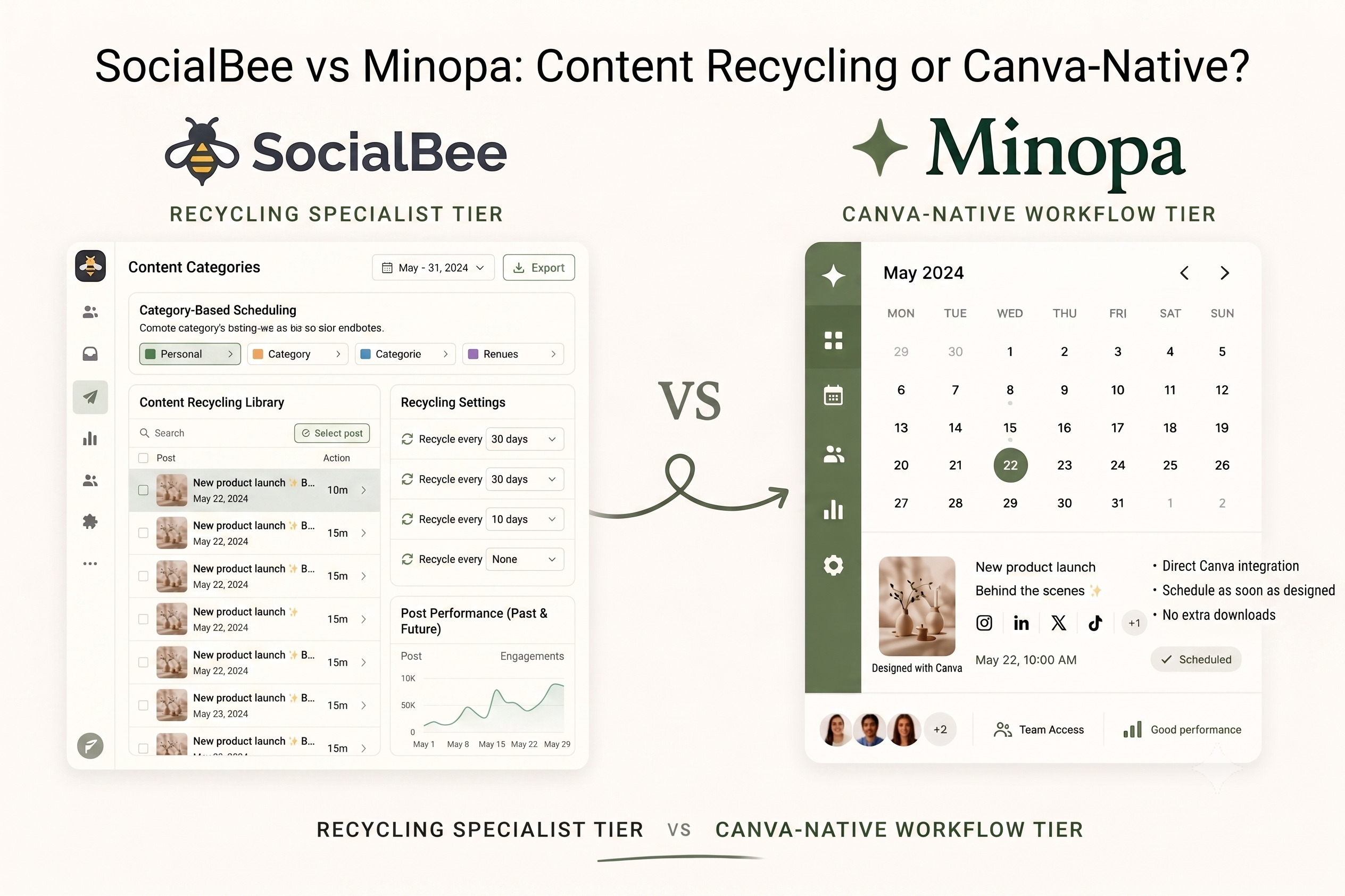
SocialBee built its identity around content recycling. Category-based queues let you assign each post to a content type (educational, promotional, behind-the-scenes), and the platform rotates posts from each category on a defined schedule. Evergreen posts cycle back into the queue automatically rather than being scheduled once and forgotten. For a creator with a backlog of high-performing posts that can be reused, the recycling engine is the reason to stay. The bulk CSV import is well-developed for power users moving from a spreadsheet workflow.
Where SocialBee falls short for creators on a fresh-content cadence is the same recycling DNA that defines the product. The category-queue setup takes a weekend to configure correctly. Canva integration is light. Google Drive isn't a native source. The pricing structure adds a workspace charge plus per-queue scaling, which compounds for agencies running multiple client rosters. The English-heavy UI doesn't ship with the full five-language localization that European creators expect at this price point.
Where Minopa fits
Minopa is built around fresh content moving from Canva into a multi-platform composer. The Creator plan covers all nine integrations natively (Instagram, Facebook, X, LinkedIn, TikTok, Threads, Pinterest, plus Canva and Google Drive imports). Designs imported from Canva land directly in the media library, the composer pulls from that library when you schedule, and the calendar surface shows the week across every connected platform. Workspaces on Creator and above let freelancers and small agencies keep brands separate.
Three situations point to Minopa. Your weekly content engine is fresh designs from Canva (or fresh photos from Google Drive), not a recycling rotation of evergreen posts. You schedule to four or more platforms and want one composer that respects each platform's fold. Or you run multiple brand workspaces and don't want a per-queue or per-workspace pricing penalty. Where SocialBee still wins: if your published content is mostly evergreen and the recycling engine is the load-bearing reason you bought a scheduler in the first place, SocialBee's category queues are built for that work and Minopa doesn't currently ship a recycling layer.
Recycling vs fresh-content engines, in plain terms
The honest framing of SocialBee vs Minopa is what shape your weekly content engine takes. If you produce a few high-quality evergreen posts a quarter and the schedule is mostly rotation of that back-catalog, SocialBee's category queues are the right tool. The setup investment pays back over months of automatic rotation.
If you produce fresh content most weeks (designs in Canva, photos in Google Drive, captions written for the post going out tomorrow), Minopa's publishing flow is the right shape. The composer is built for new content moving from design to scheduled post. Picking the wrong engine for your output is the most common reason creators feel like their scheduler is in the way of their work.
Workspaces and freelancer math
A solo creator with one brand barely needs workspaces. A freelancer with three or four clients needs them as structural isolation, not a luxury feature.
SocialBee's multi-workspace support sits in higher tiers with per-workspace pricing. Minopa includes one workspace on Free and unlocks multiple workspaces on Creator and above without a per-workspace surcharge. A freelancer with three client workspaces on Growth pays the plan rate once. For multi-brand work, that's the conversion-worthy gap.
Canva, Google Drive, and the design-import gap
SocialBee's Canva integration is light, and Google Drive isn't a native source. Designs and assets move through manual upload from the device.
Minopa imports designs directly from Canva and Google Drive into the media library, with cropping and resizing inside the app. For a creator producing twenty or thirty designed posts a month in Canva, that single integration removes the largest manual step in the workflow.
Who should pick which
If your weekly content is mostly evergreen and the schedule is rotation of high-performing back-catalog posts, SocialBee is the right tool. The category-queue engine is the load-bearing feature, and it earns its setup investment.
If your weekly content is fresh designs from Canva moving to a multi-platform composer, you schedule to four or more platforms, or you run multiple brand workspaces, Minopa is the better long-term home. Run your actual content shape against SocialBee's pricing and Minopa's pricing; the right tool depends on whether your engine is recycling or fresh-content publishing.
Frequently asked questions
Does Minopa recycle evergreen content like SocialBee?
Not currently. SocialBee's category queues and evergreen rotation are its load-bearing feature, and Minopa doesn't ship an equivalent recycling layer today. If your schedule is mostly rotation of a high-performing back-catalog, SocialBee stays the better fit. Minopa's composer is built for fresh content moving from design to scheduled post, not automatic re-queuing.
Is Minopa or SocialBee better for Canva-based workflows?
Minopa, for most Canva-heavy creators. SocialBee's Canva integration is light and Google Drive isn't a native source, so designs and assets move through manual upload. Minopa imports from both directly into the media library, with cropping and resizing in-app, which removes the largest manual step for creators producing twenty or thirty designed posts a month.
Is Minopa cheaper than SocialBee?
It depends on your workspace and queue count. SocialBee's structure adds a workspace charge plus per-queue scaling, which compounds for agencies running multiple client rosters. Minopa's flat per-plan pricing folds multiple workspaces and all nine integrations into one tier with no per-workspace surcharge. Run your real brand count against SocialBee's pricing and Minopa's pricing, since both move over time.
Can I import Canva designs into Minopa?
Yes, natively. SocialBee's Canva integration is light, while Minopa imports designs from Canva and Google Drive straight into the media library. The composer pulls from that library when you schedule, with cropping and resizing in-app and no export-import detour.
Pick the engine that matches your content rhythm
Minopa's Free plan lets you connect your first account and run a few fresh Canva-imported posts before committing, with no card and no demo call. If your weekly engine is fresh content rather than the evergreen recycling SocialBee is built for, the flat-rate Creator plan keeps every integration and workspace under one predictable price. Compare the plans against your actual content shape before you decide.